DGCA eCAAT Portal Guide 2026 — Registration, SPL Application and Common Errors Fixed
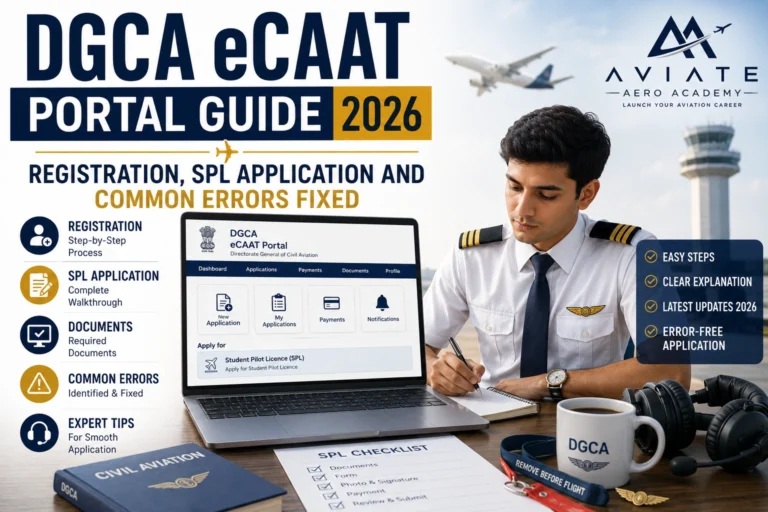
Every pilot journey in India begins at the same place the DGCA eCAAT portal. Before you can sit a DGCA written examination, apply for a Student Pilot License, book a medical, or eventually receive your Commercial Pilot License, you need an active, correctly registered profile on the eCAAT system. And yet, for most students attempting this for the first time, the portal is one of the most frustrating digital experiences they encounter.
Confusing navigation, unclear document format requirements, cryptic error messages, and a support system that responds slowly when it responds at all — these are consistent complaints from aspiring pilots across India trying to complete what should be a straightforward registration process. The delays caused by small, avoidable errors here cascade into delayed exam bookings, delayed SPL issuance, and delayed training timelines.
This guide walks you through every step of the eCAAT registration process for 2026, explains the SPL application correctly, and lists the most common errors students encounter along with exactly how to fix each one.
For CPL holders in India particularly those who have recently completed their license or are within six months of doing so Akasa Air represents one of the most accessible entry points into commercial aviation in 2026. Unlike IndiGo or Air India, where competition for fresher positions is intense and established seniority lists are long, Akasa is building its pilot workforce from a relatively early base. That means the seniority advantage of joining now is significant.
This guide covers everything a fresh CPL holder needs to know about Akasa Air pilot recruitment in 2026 the eligibility requirements, the type rating question, the Family Fly Programme, how the selection process works, and how to prepare for each stage.
What the DGCA eCAAT Portal Actually Is
eCAAT stands for e-Competency Assessment and Accreditation of Trainers though for pilot licensing purposes, it functions as the single digital hub for all pilot-related regulatory processes in India. Everything runs through it: student pilot profile creation, document submission, SPL and PPL applications, DGCA written examination registration and results, flying school approvals, logbook submissions, CPL and ATPL licensing applications, and medical certificate management.
The portal is accessed at ecarb.dgca.gov.in. There is no mobile app. All interactions are browser-based, and the portal works most reliably on Google Chrome on a desktop or laptop computer. Students who attempt eCAAT registration on a mobile browser consistently report more formatting and upload errors than those using a desktop browser.
Access the DGCA eCAAT portal directly at ecarb.dgca.gov.in. Use Google Chrome on a desktop for best results throughout the entire registration and application process.
Akasa Air has placed orders for over 220 Boeing 737 MAX aircraft. With a current operational fleet still in early growth, the airline has years of active expansion ahead of it. Every aircraft inducted requires new crew. The pilots who join Akasa now at First Officer level are building seniority in a growing airline from the ground floor. Captain upgrade timelines at a growing carrier with expanding fleet size are typically faster than at a mature airline where thousands of senior First Officers are already waiting for left-seat opportunities.
Joining Akasa Air in 2026 as a fresh First Officer is not just securing a first job. It is positioning yourself near the front of a seniority list that will matter for the next 25 to 30 years of your career.
Before You Start — Get Every Document Ready First
The single most common cause of failed or delayed eCAAT registration is starting the process without all documents prepared to the correct specifications. The portal has strict requirements for file format, file size, and document content. Attempting to improvise these during the registration session leads to errors that require you to restart the process.
Prepare all of the following before opening the portal:
- Passport photograph: White background, forward-facing, no glasses, no headwear. File format: JPG only. File size: under 50KB. Taken within the last 3 months. This is the most frequently rejected upload — photograph size and background cause most failures.
- Aadhar Card: Clear scan of both front and back. File format: PDF or JPG. Must show the 12-digit Aadhar number clearly. Blurred or partial scans are rejected.
- PAN Card: Clear scan. File format: PDF or JPG. Name on PAN must exactly match the name you enter during registration — spelling variations cause identity mismatch errors.
- 10th Standard Mark Sheet: Certified copy with official board seal. File format: PDF. Required for date of birth verification confirming you meet the minimum age of 17 for SPL.
- 12th Standard Mark Sheet: Certified copy with Physics and Mathematics subjects clearly visible. File format: PDF. Marks in these two subjects must meet the DGCA 50% minimum requirement.
- Class 2 Medical Certificate: From a DGCA-authorised Aviation Medical Examiner. Must be current — check the validity date before uploading. An expired medical certificate causes immediate SPL rejection.
Step-by-Step eCAAT Registration — 2026
Follow these steps exactly. Do not navigate away from the portal mid-process, and do not use the browser back button — this causes session errors that require you to start over.
- Open the portal — Go to ecarb.dgca.gov.in in Google Chrome on a desktop computer.
- Select ‘New User Registration’ — On the homepage, find and click the new user registration option. Do not attempt to log in — you have no account yet.
- Enter personal details — Fill in your full legal name exactly as it appears on your Aadhar card. Any spelling difference between your registration name and your documents creates a mismatch that must be resolved manually with DGCA — a process that can take weeks.
- Set up login credentials — Create a username and strong password. Record these immediately in a secure location. eCAAT password recovery is not instant — losing access to your account mid-application causes delays.
- Enter contact information — Use a mobile number and email address you actively monitor. DGCA sends OTPs, application status updates, and examination notifications to these contacts. Use your own number — not a parent’s or friend’s.
- Upload your photograph — Upload your passport-size photograph in JPG format, under 50KB, white background. If your image is larger than 50KB, compress it using a free online image compressor before uploading — do not stretch or distort the image during compression.
- Upload identity documents — Upload Aadhar and PAN as specified. The portal checks document format and size before accepting. If an upload fails, check the file format first, then the file size.
- Submit and verify OTP — After form completion, an OTP is sent to your registered mobile number. Enter it promptly — eCAAT OTPs expire within a short window. If it does not arrive within 2 minutes, check your mobile signal and request a resend.
- Note your DGCA Computer Number — After successful registration, you receive a DGCA Computer Number — a unique identifier assigned to your pilot profile. This number appears on every DGCA document you will ever receive. Write it down and save it. You will need it for exam registrations, SPL applications, and every interaction with DGCA for the rest of your career.
Applying for Your Student Pilot License Through eCAAT
Once your eCAAT profile is active and verified, the next step is submitting your Student Pilot License application. The SPL is the first official DGCA license — it authorises you to fly solo under instructor supervision and is required before you can begin formal flying training.
Log into your eCAAT account and navigate to the license application section. Select Student Pilot License from the license type menu. The SPL application requires all documents uploaded during registration plus your Class 2 Medical Certificate from a DGCA-authorised Aviation Medical Examiner. If you have not yet completed your Class 2 medical, do that first — you cannot submit the SPL application without it.
Complete every field in the SPL application form. Blank fields or fields with placeholder text cause application rejection without explanation. Pay the SPL application fee through the integrated payment gateway — save the payment confirmation receipt immediately after payment. If the payment page times out before confirmation appears, check your bank account before attempting to pay again — duplicate payments do require manual reconciliation with DGCA.
SPL processing typically takes two to four weeks from a complete, correctly submitted application. Applications with document errors, name mismatches, or expired medical certificates are returned for correction — resetting the clock and adding weeks to your timeline.
For a complete list of documents required at every stage of your pilot training journey — including SPL, CPL, and education loan applications — visit Aviate Aero Academy’s Pilot Checklist page.
The Most Common eCAAT Errors — and Exactly How to Fix Them
These are the errors that appear most frequently in eCAAT registrations and SPL applications across India. Each one is avoidable with the right preparation.
Error: ‘Document format not supported’
The portal accepts JPG for photographs and PDF for certificates. Sending a PNG, HEIC (iPhone photo format), or DOCX file triggers this error. Convert all files to the correct format before uploading. iPhone users: photos taken on iOS save as HEIC by default — convert to JPG using any free online converter before uploading.
Error: ‘File size exceeds limit’
Photograph uploads have a 50KB limit. Certificate uploads are typically limited to 2MB. Compress photographs using a free tool like TinyPNG or iLoveImg. For PDF certificates, use SmallPDF or ILovePDF to reduce file size without affecting legibility. Never reduce quality to the point where text on certificates becomes unreadable — DGCA verifiers must be able to read every detail.
Error: ‘Name mismatch detected’
This occurs when the name entered during registration differs from the name on uploaded documents. Even a single letter difference — Ravi vs Ravee, Mohammed vs Mohammad — triggers this. Check your Aadhar card spelling precisely and enter your name in the registration form using that exact spelling. If your name is spelled differently across different documents, resolve this at the Aadhar correction centre before attempting eCAAT registration.
Error: ‘OTP not received’
First check mobile signal strength — eCAAT OTPs are SMS-based and require network connectivity. If signal is strong and OTP has not arrived within 2 minutes, click resend OTP. If still not received, check whether your number is registered for DND (Do Not Disturb) service — some DND settings block transactional SMS. Contact your mobile operator to whitelist DGCA SMS if needed.
Error: ‘Medical certificate expired’
Class 2 Medicals have a defined validity period. Check the expiry date on your certificate before every submission — not just at the time you received it. If your medical has expired, get a new one from a DGCA-authorised AME before proceeding. Do not submit an expired certificate hoping it will be overlooked — it will not be.
- Technical knowledge: Revise all five DGCA written subjects with exam-level accuracy. Boeing 737 systems knowledge — even without a type rating — gives you a significant advantage in the written test. Use publicly available 737 pilot handbooks and study resources to build foundational systems understanding.
- Simulator readiness: If budget allows, a few hours in a B737 simulator at a type rating centre before your Akasa assessment is a worthwhile investment. At minimum, review instrument approach procedures, standard call-outs, and basic CRM principles.
- HR interview preparation: Prepare specific answers to competency-based questions using the STAR format (Situation, Task, Action, Result). Practice speaking about your aviation background confidently and concisely — 90 seconds per answer, not five minutes.
- Know the airline: Read Akasa Air’s route network, fleet size, ownership structure, and stated values before your interview. Interviewers notice candidates who have done their research and those who have not.
- Documents audit: Before applying, audit every document — DGCA license, logbook, medical, passport, education certificates. Any discrepancy between your application and your documents creates a problem that delays or ends your candidacy.
For structured post-CPL career preparation including airline interview coaching, technical revision, and type rating guidance visit Aviate Aero Academy’s CPL to ATPL page.
Get the Admin Right — Everything Else Follows
The DGCA eCAAT portal is not the most intuitive system a pilot aspirant will encounter. But every error it produces is fixable, and every delay it causes is avoidable with the right preparation. Students who prepare their documents correctly, follow the registration steps without shortcuts, and address errors systematically complete this process without meaningful delay.
At Aviate Aero Academy in Hyderabad, eCAAT registration guidance and SPL application support are included in every student counselling session — because we have seen how avoidable errors at this stage add weeks to training timelines and cause unnecessary stress at the very beginning of the journey. If you are stuck on any step of the eCAAT process, our team can walk you through it. The first session is free.
Book Your Free Country Selection Counselling — aviateaeroacademy.com/contact-us | +91 62816 37703